


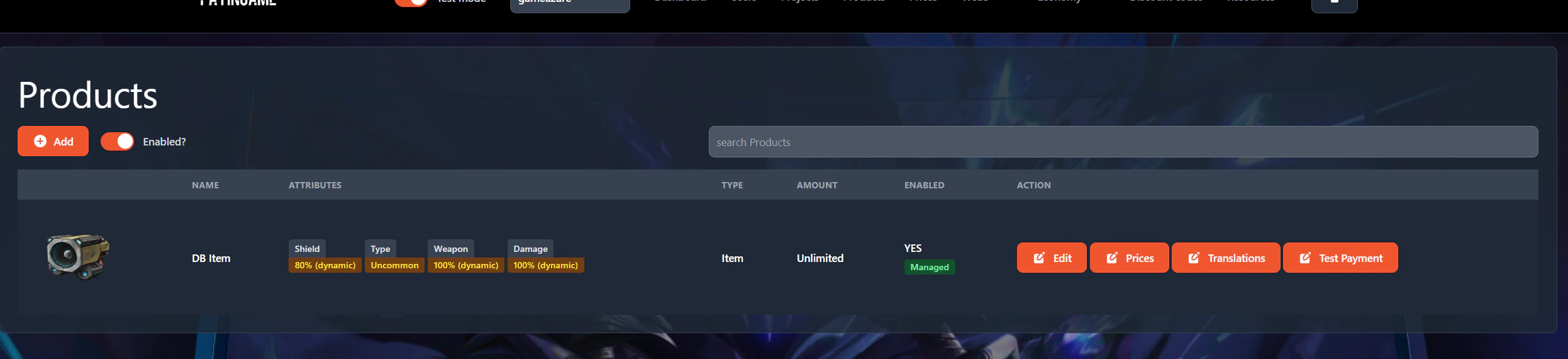
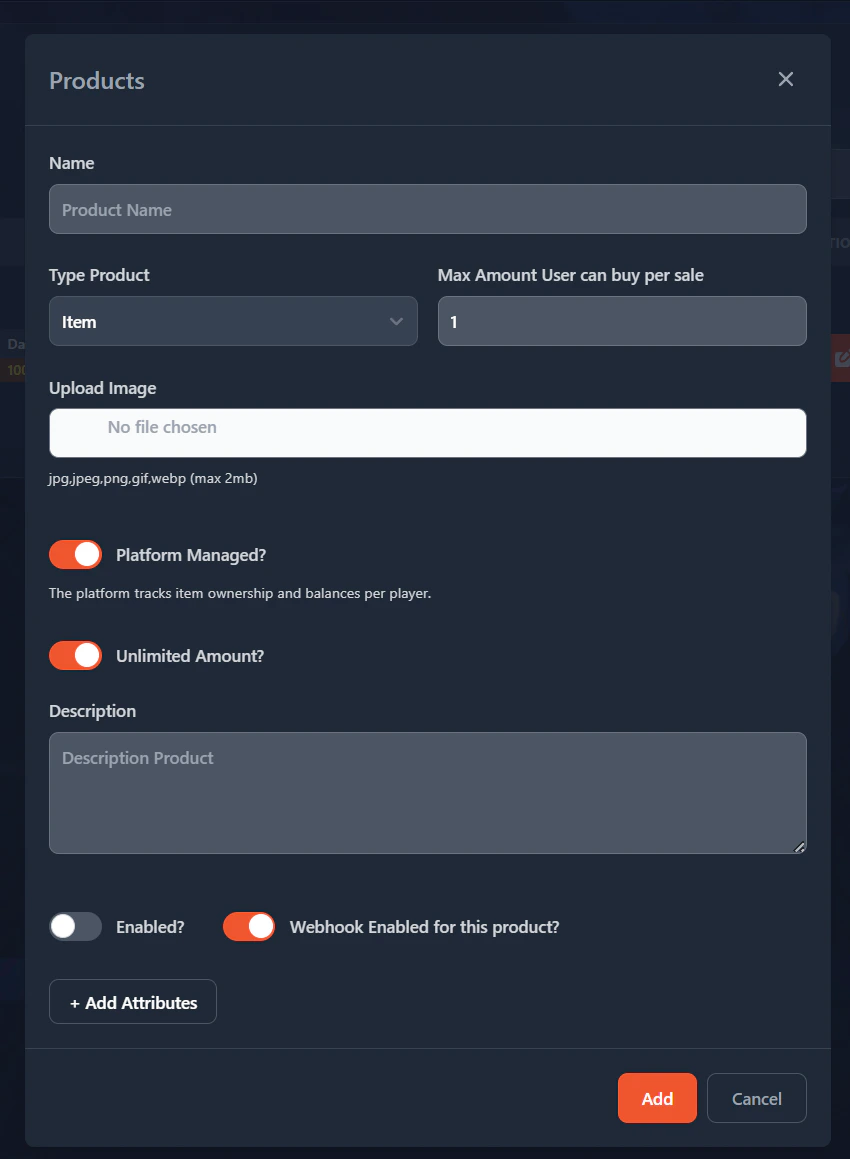
- Name: Will be the name of your product
- Type Product: This will define your product. It can be an item (this is a db item), an NFT or a subscription. Based on the type more info is needed.
- Max Amount User can buy per sale: This will define how many products a user can buy per sale. If its on 1, the user will not be able to select the number they desire.
- Upload Image: The image for the product
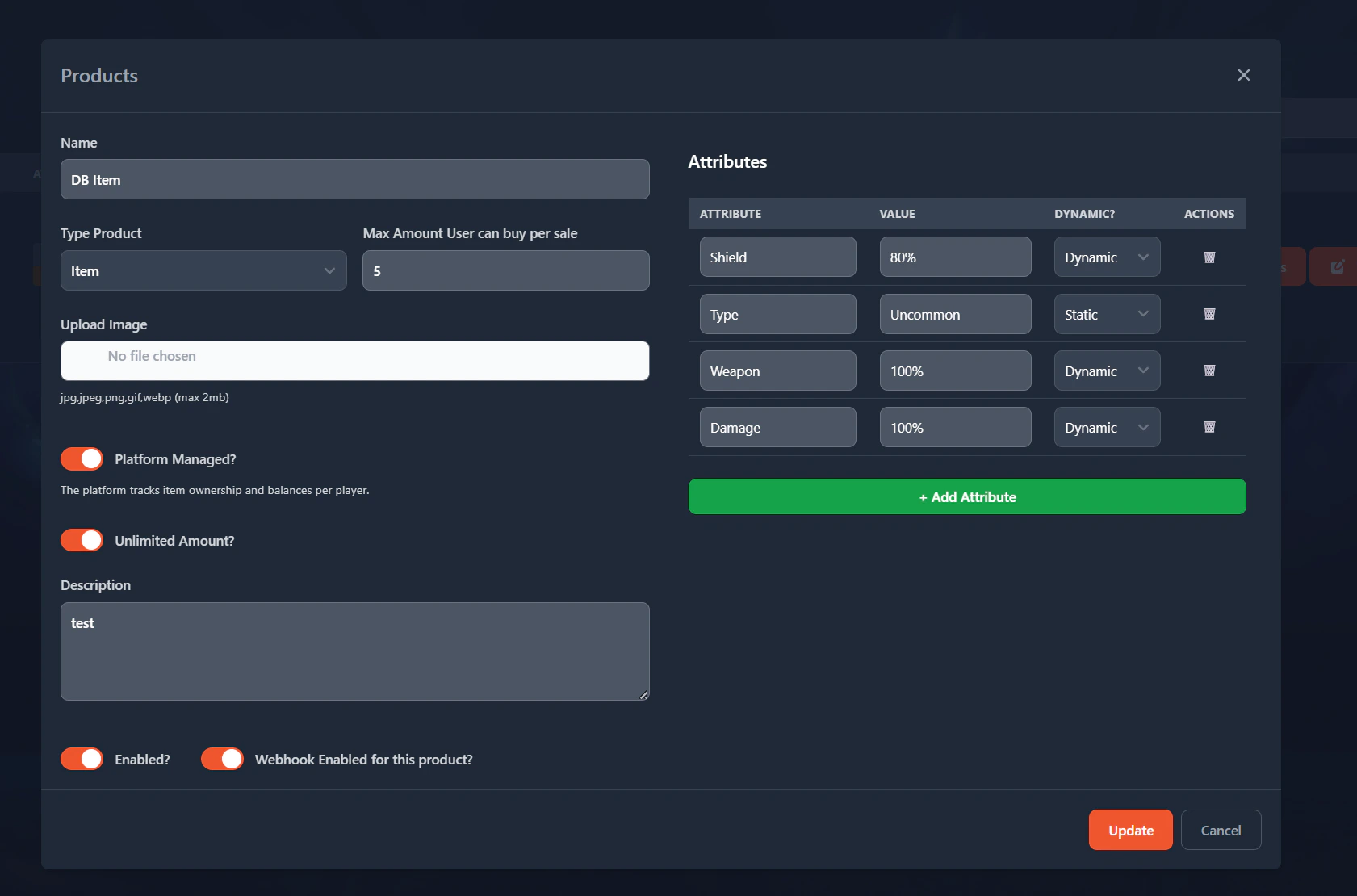
- Platform Managed: If you want your item to be managed by Payingame, then you can enable this. This means that, in case of attributes, that you will be able to update the attributes you defined through api’s.
- Unlimited Amount: If checked, then it will be unlimited. Otherwise a value needs to be given. (example, you only want to have an x amount of products available.)
- Enabled?: Do you want to enable the product or not?
- Webhook Enabled for this product?: It could be that for certain items, you don’t want to have a webhook enabled. Example are NFT Items, where payingame will tell the game through an api what the user has. It is not needed then most likely that a webhook is enabled when an NFT item is sold.
- Add Attributes (optional): This will be visible when selecting the type of product equal to ‘Item’. It enables you to add attributes to the item. In case of “Platform Managed”, this can then be updated through the api’s.
NFT Items
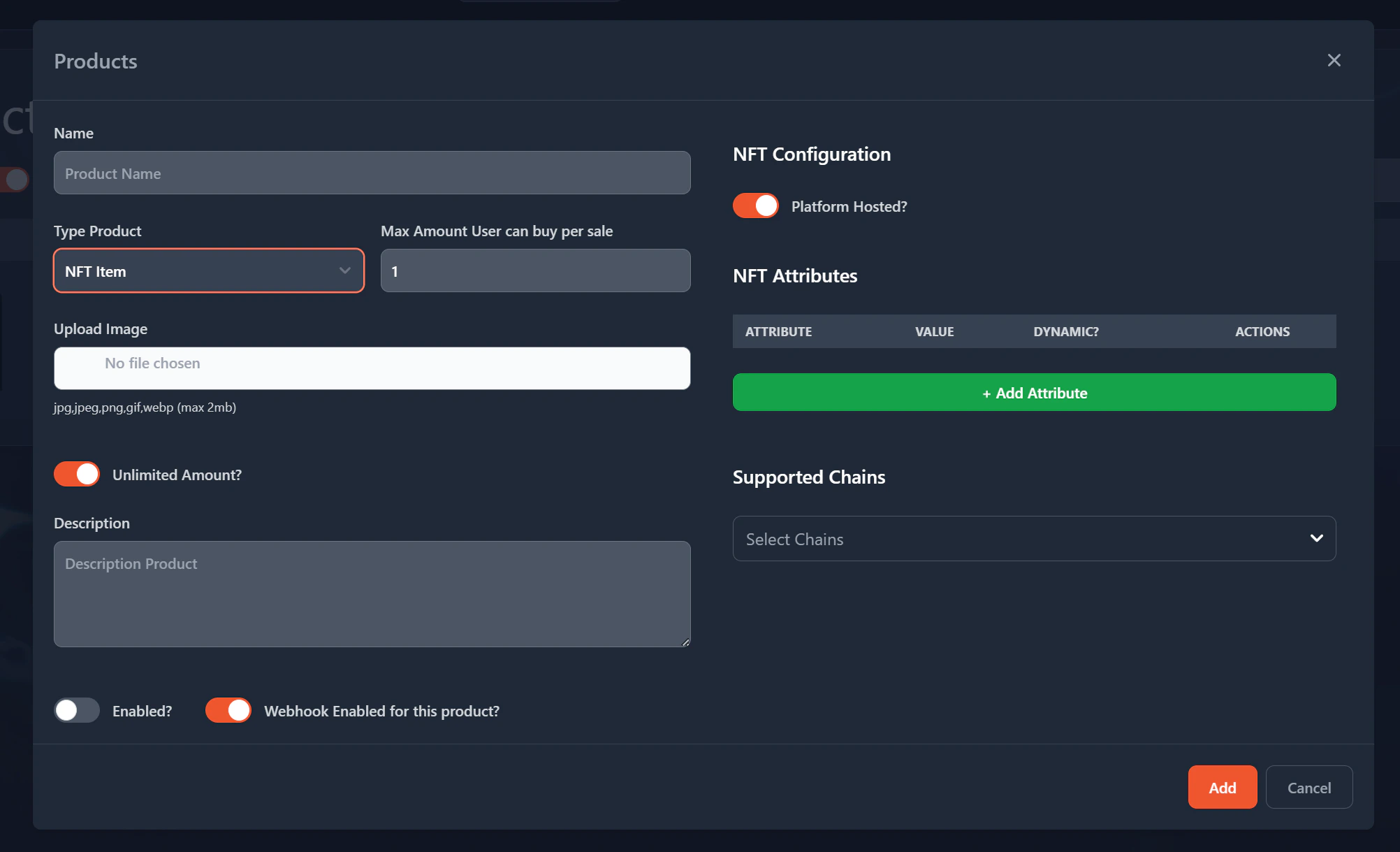
- Base Meta URI: If the platform managed is checked, Payingame will make sure that your metadata is kept in sync. We provide api’s so that you can update the metadata. Example is dynamic attributes which can be given in the NFT attributes (like level and ranks). Once you update it through the api, the metadata will automatically be updated. If you do want control over the metadata, uncheck this box and fill in the url to where it needs to point to.
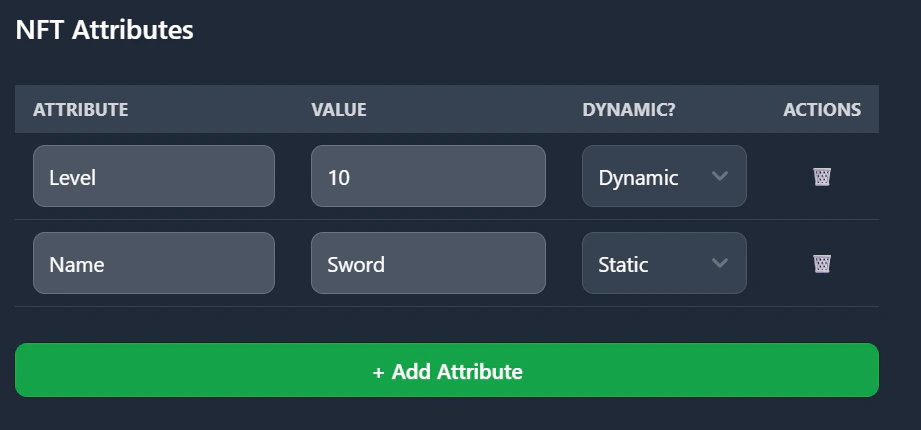
- NFT Attributes: Here you can define what the attributes will be of your NFT. They can be static or dynamic variables. Static ones will never be able to be changed, dynamic can.
- Supported Chains: This will define where the NFT can be deployed. This can always be updated later. So if you want to only deploy it to ETH but later to AVAX that’s possible. The Tokens to pay for this product will automatically be activated. You have control though in the price section which tokens are used.
