> ## Documentation Index
> Fetch the complete documentation index at: https://docs.payingame.io/llms.txt
> Use this file to discover all available pages before exploring further.
# Create Discount Codes
> If you ever want to provide discount codes to partners, influencers etc. then this is possible by creating discount codes.
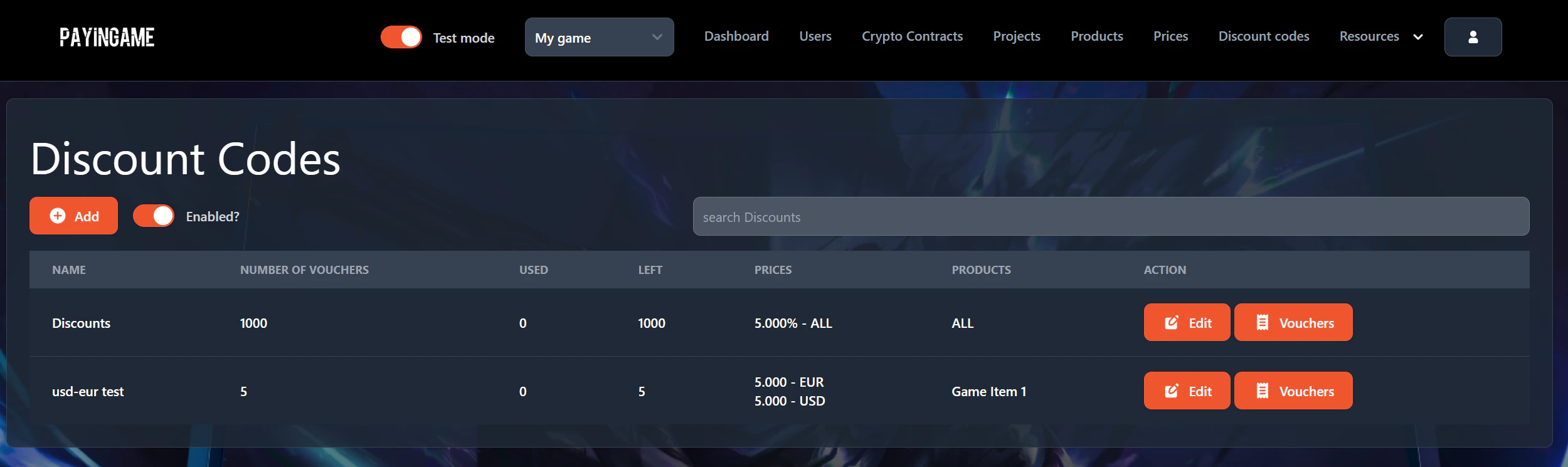
In order to create discount codes, go to 'Discount codes' on top and press on 'Add'.
 A popup will appear where you will be able to create your discount
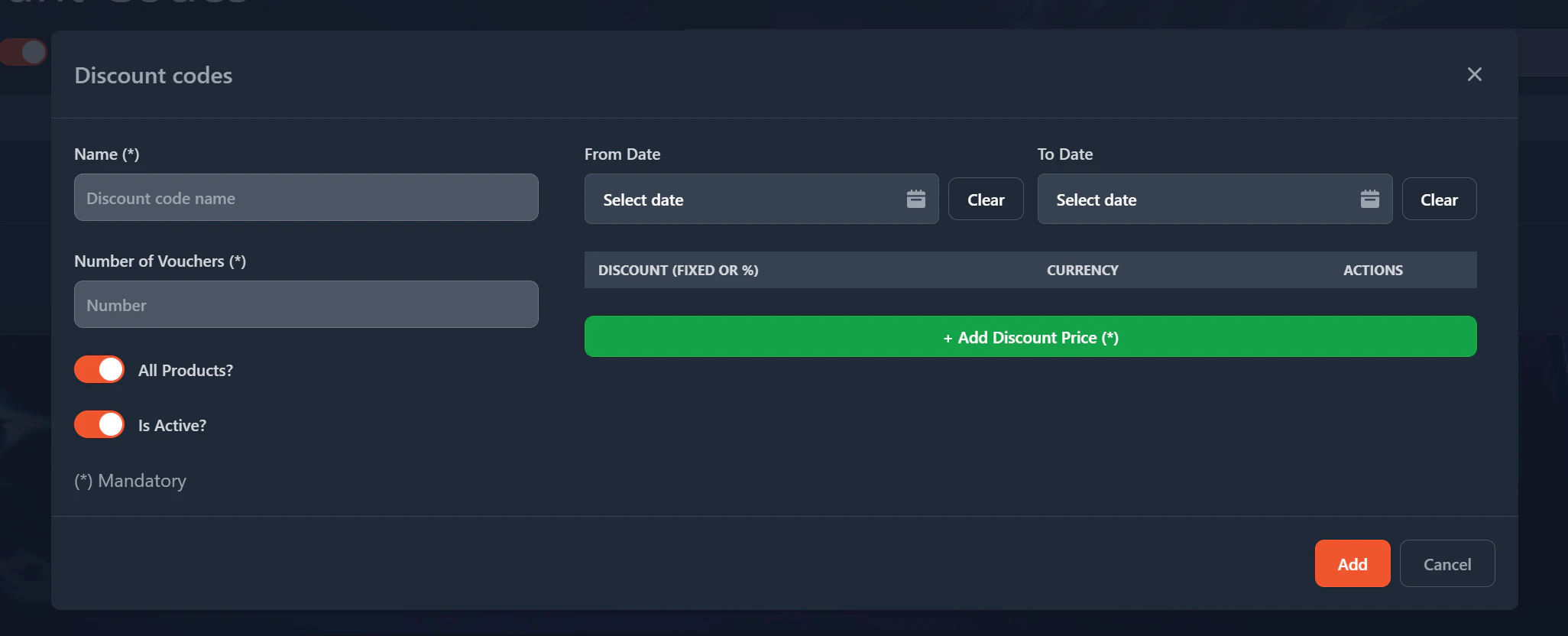 * Name: Name for your discount code. This is a reference that you can give to it.
* Number of vouchers: The number of vouchers that you want to create. You can always increase (or decrease) it later.
* All Products?: When checked the voucher will be available for all products. If unchecked then you can define for which product(s) its available.
* Is Active?: Defines if the discount is available or not. If not, then all vouchers created will be invalid.
* From Date and To Date: You can define here from when and until the voucher is valid.
* Discount Price: Per currency (or ALL) you can define what the price of the discount will be. It can be a percentage or a fixed amount.
* Name: Name for your discount code. This is a reference that you can give to it.
* Number of vouchers: The number of vouchers that you want to create. You can always increase (or decrease) it later.
* All Products?: When checked the voucher will be available for all products. If unchecked then you can define for which product(s) its available.
* Is Active?: Defines if the discount is available or not. If not, then all vouchers created will be invalid.
* From Date and To Date: You can define here from when and until the voucher is valid.
* Discount Price: Per currency (or ALL) you can define what the price of the discount will be. It can be a percentage or a fixed amount.