> ## Documentation Index
> Fetch the complete documentation index at: https://docs.payingame.io/llms.txt
> Use this file to discover all available pages before exploring further.
# Security
> In order to provide extra security, you can receive an extra header in the webhook. This header lets you verify that the webhook was sent by Payingame, not a malicious third party.
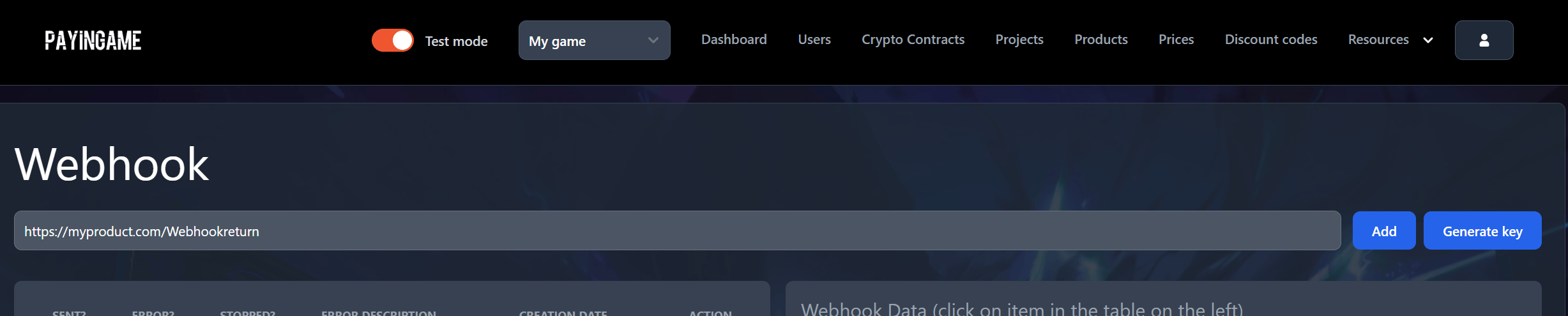
By default this is off, but we recommend to enable this feature. This can be done by going into the webhook and press on 'Generate Key'.
 This can be generated at any time, but more important you can override an existing one. So please be careful using this feature if you already have set up a complete working environment.
Once you confirm in the popup, the following screen will appear
This can be generated at any time, but more important you can override an existing one. So please be careful using this feature if you already have set up a complete working environment.
Once you confirm in the popup, the following screen will appear
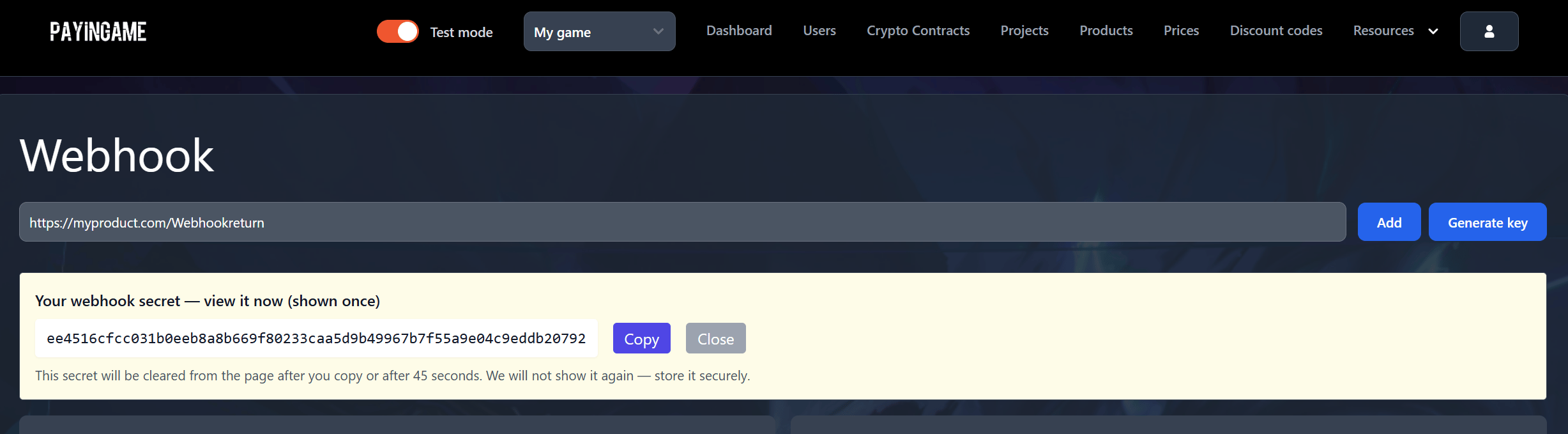 You can then copy this key and save it. You will need it to validate the signature that Payingame will provide.
As the message states, the key will only be visible once and will not be
available anymore. If you loose this key, you will need to regenerate a new
one.
You can then copy this key and save it. You will need it to validate the signature that Payingame will provide.
As the message states, the key will only be visible once and will not be
available anymore. If you loose this key, you will need to regenerate a new
one.