> ## Documentation Index
> Fetch the complete documentation index at: https://docs.payingame.io/llms.txt
> Use this file to discover all available pages before exploring further.
# Wallet
> If you want to make use of the NFT(s) in your product, you will need to know what the user has. In order to do so, you will need to integrate the Wallet page described below.
Below is the URL that needs to be used
> [https://payingame.io//wallets/\[ProjectGuid\]/\[UserToken](https://payingame.io//wallets/\[ProjectGuid]/\[UserToken)]
* \[ProjectGuid]: The ProjectGuid you can find in the Products endpoint. Click Here for more information.
* \[UserToken]: The token that you can find in the Token endpoint. Click Here for more information.
The flow is as follows:
* Get the project Guid (this does not change once its created)
* For the unique user id you defined in your product, get the Token from the Token endpoint. This token is only available for a certain amount of time. (5 minutes)
* Forward the user to the url above.
The user will see the following
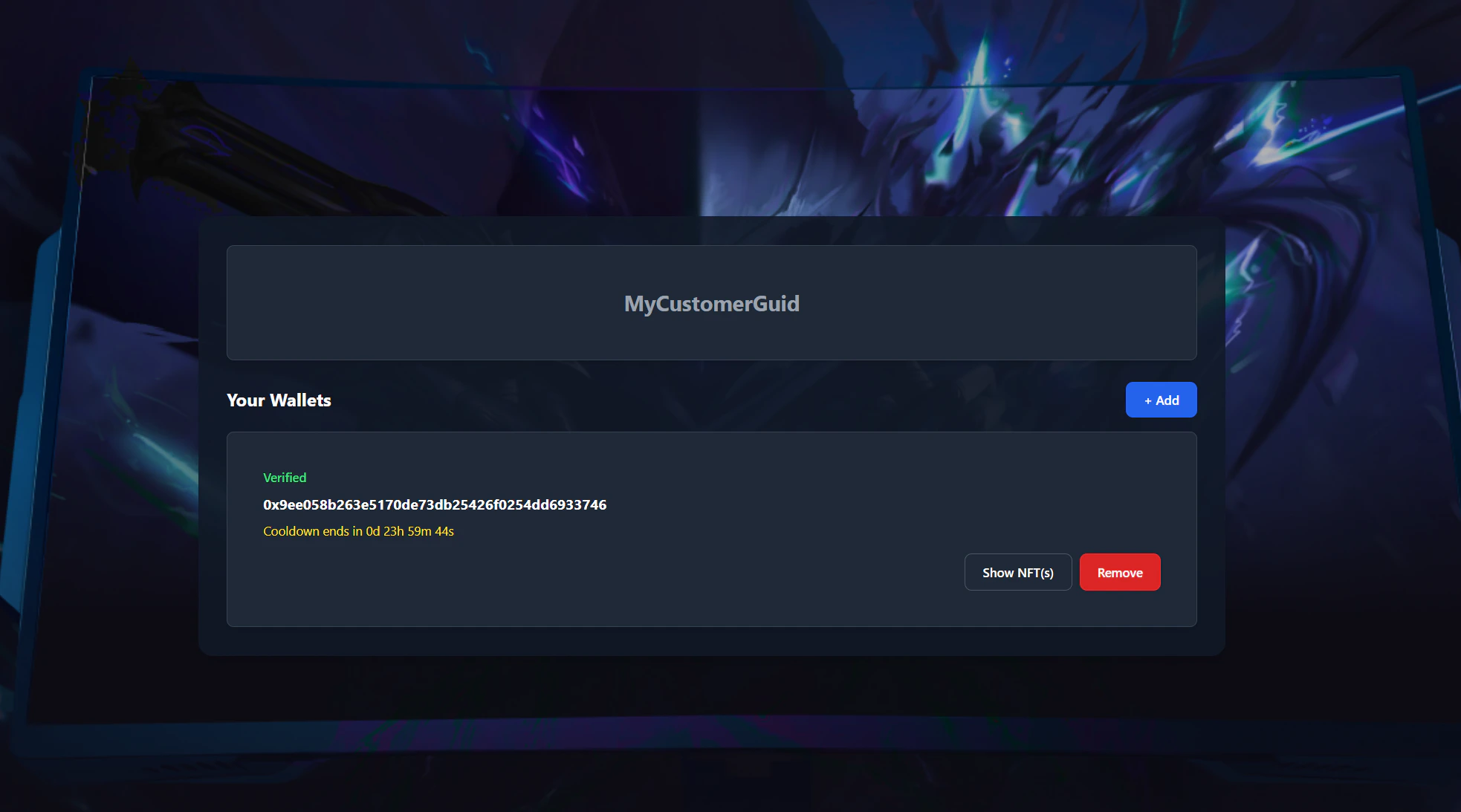 Once the user is on this page, they will be able to:
* Add wallets.
* Verify a wallet: Needed when a user has bought an NFT but is not yet verified. This is done by signing a message that proofs they are the owner.
* Remove a wallet.
* Verify all the nft(s) that are attached to each wallet.
# Cooldown period
In order to be sure that a user will not be able to switch ownership when playing a game, a cooldown period of 24h is generated when:
* A new wallet is added whenever the wallet is already attached to another user
* A wallet is removed and is re-attached
Once the user is on this page, they will be able to:
* Add wallets.
* Verify a wallet: Needed when a user has bought an NFT but is not yet verified. This is done by signing a message that proofs they are the owner.
* Remove a wallet.
* Verify all the nft(s) that are attached to each wallet.
# Cooldown period
In order to be sure that a user will not be able to switch ownership when playing a game, a cooldown period of 24h is generated when:
* A new wallet is added whenever the wallet is already attached to another user
* A wallet is removed and is re-attached